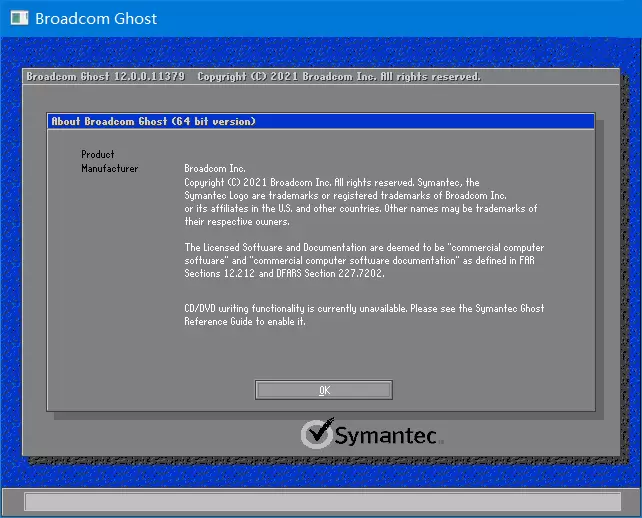
Symantec Ghost是一款经典的硬盘备份工具的Ghost备份还原工具.Ghost Explorer中文版(GHO镜像工具)是GHO镜像文件浏览器,可以读取Ghost映像,解压修改镜像文件,编辑备份好的镜像,系统封装爱好者常用工具.
新版变化
Ghost Solution Suite 3.3 RU10 Release Notes
https://techdocs.broadcom.com/us/en/symantec-security-software/endpoint-security-and-management/ghost-solutions-suite/3-3/Release-Notes/Ghost-Solution-Suite-33-RU10-Release-Notes.html
Symantec Ghost 12.0开始官方不再提供DOS版!
文件详情
核心工具提取自官方产品安装包:
Ghost Solution Suite > IT Management Suite
﹂Symantec Deploymentsolution
├—Symantec Ghost 12.0.0.11499 (2022.05.24)
├——Ghost32.exe //32位Ghost备份恢复工具
├——Ghost64.exe //支持128G内存的64位版
├——Ghostexp.exe //32位Ghost浏览器工具
├——Ghostexp64.exe //支持128G内存的64位
├——Ghostexp_ZH.dll //Ghost浏览器中文语言
下载地址
软件推荐[Windows]Symantec_Ghost / Ghostexp 12.0.0.11531
https://www.123pan.com/s/foF8Vv-VWiav
https://wwtm.lanzoum.com/inyN90o6qcwb
软件推荐[Windows]Symantec_Ghost / Ghostexp 12.0.0.11499
Symantec Ghost / Ghostexp 12.0.0.11499 (2022/08/05)
Symantec Ghost / Ghostexp 12.0.0.11197 禁自动分卷版
https://wwd.lanzouy.com/iHzeQ09cre3g
https://pan.baidu.com/s/1vXL4d9P-Q_MP9kcspMRYeA?pwd=p8a8 提取码: p8a8
![软件推荐[Windows]AnyDesk远程工具免费版v9.8.1.0 绿色便携版-哎呦不错往前方软件站](https://qianfangzy.com/wp-content/uploads/2022/10/sina-72.jpg)
![软件推荐[Windows]Google Chrome v154.0.8037.98绿色便携版-哎呦不错往前方软件站](https://qianfangzy.com/wp-content/uploads/2023/01/666.png)
![软件推荐[Android]HiPER Calc Pro (艾泰计算器)v12.0.8 修改版-哎呦不错往前方软件站](https://qianfangzy.com/wp-content/uploads/2022/08/sina.jpg)
![软件推荐[Windows]文件搜索工具Everything v3.5.0 正式版-哎呦不错往前方软件站](https://qianfangzy.com/wp-content/uploads/2022/10/sina-41.jpg)
![软件推荐[Windows]Adobe InCopy 2026 (v21.6.0.057.0)中文版-哎呦不错往前方软件站](https://img.qianfangzy.com/i/2023/01/07/104223-0.webp)
![软件推荐[Windows]XYplorer v28.30.2600 中文绿色版-哎呦不错往前方软件站](https://qianfangzy.com/wp-content/uploads/2023/05/xyplorer.png)
![软件推荐[Windows]OpenShell(经典开始菜单软件)v4.4.201中文汉化版-哎呦不错往前方软件站](https://qianfangzy.com/wp-content/uploads/2023/07/OpenShell-220x150.webp)
![软件推荐[Windows]MKVToolNix中文版(Mkv封装工具)v102.0.0绿色版-哎呦不错往前方软件站](https://qianfangzy.com/wp-content/uploads/2022/10/1653287704-mkvtoolnix.png)